OrsaNova Studios

Focally logo

Focally

Focally turns “just one more scroll” into finished work.

A Pomodoro focus timer that lives in your browser’s side panel — start a focus block, and Focally keeps time, hushes distractions, and quietly accounts for the work when you’re done.

A browser extension for Chrome and Edge. Coming soon.

Focus, protected

  • 25/5/15 Pomodoro intervals, with notifications and a completion chime.
  • Focus mode blocks distracting sites while you focus — a friendly “get back to it” page, and a one-minute escape hatch for when you genuinely need the tab.
  • A daily focus goal, and the history to see whether you hit it.
Your tasks, unified

  • Pull tasks from ClickUp and Salesforce, and meeting action items from Fireflies, into one list.
  • Finishing a block logs time back to ClickUp and activity to Salesforce.
  • Your note from the block can post as a comment on the task itself.

Built around your calendar

  • See today’s meetings in the side panel — connect Outlook or Google Calendar.
  • Start a focus block for any meeting in one tap.
  • Free-slot suggestions, so a focus block lands somewhere it can survive.

Focus that shows

  • An optional “🍅 Focusing…” status and Do Not Disturb in Slack or Microsoft Teams while you focus.
  • Both are cleared when you’re done — you never have to remember to turn them off.

Private by design

  • No account required, no tracking, no ads.
  • Everything stays on your device.
  • Connect only what you want, and disconnect anytime.

A look at it

Captured from the built extension, not mocked up.

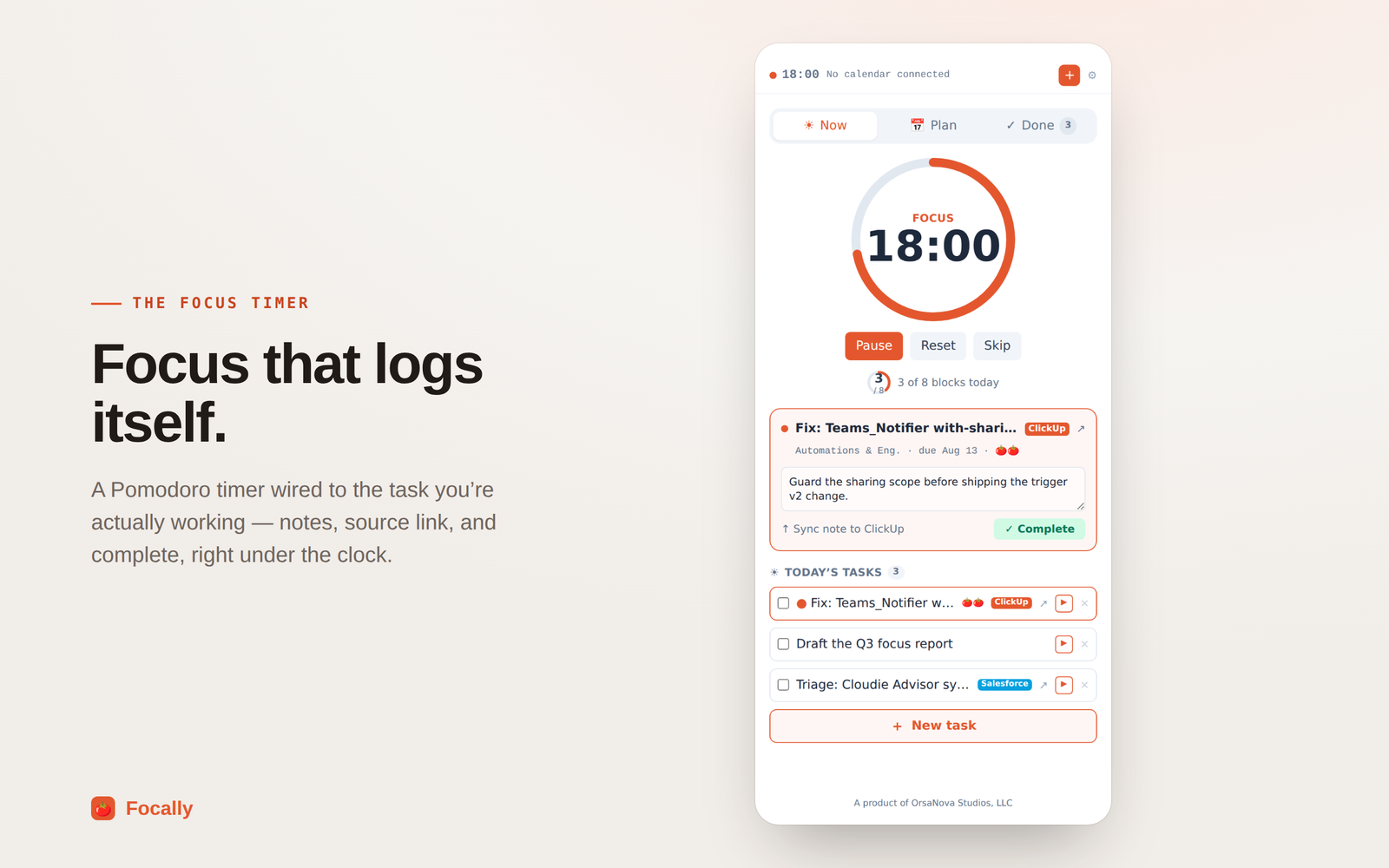
The Now tab: a circular countdown reading 18:00 with Pause, Reset and Skip beneath it, and “3 of 8 blocks today”. Under that, the ClickUp task being worked on — “Fix: Teams_Notifier with-sharing”, due Aug 13 — with a note typed into it, a “Sync note to ClickUp” action and a Complete button. Today’s three tasks follow, tagged ClickUp and Salesforce.
Focus that logs itself — the timer, the task, and the note in one panel.
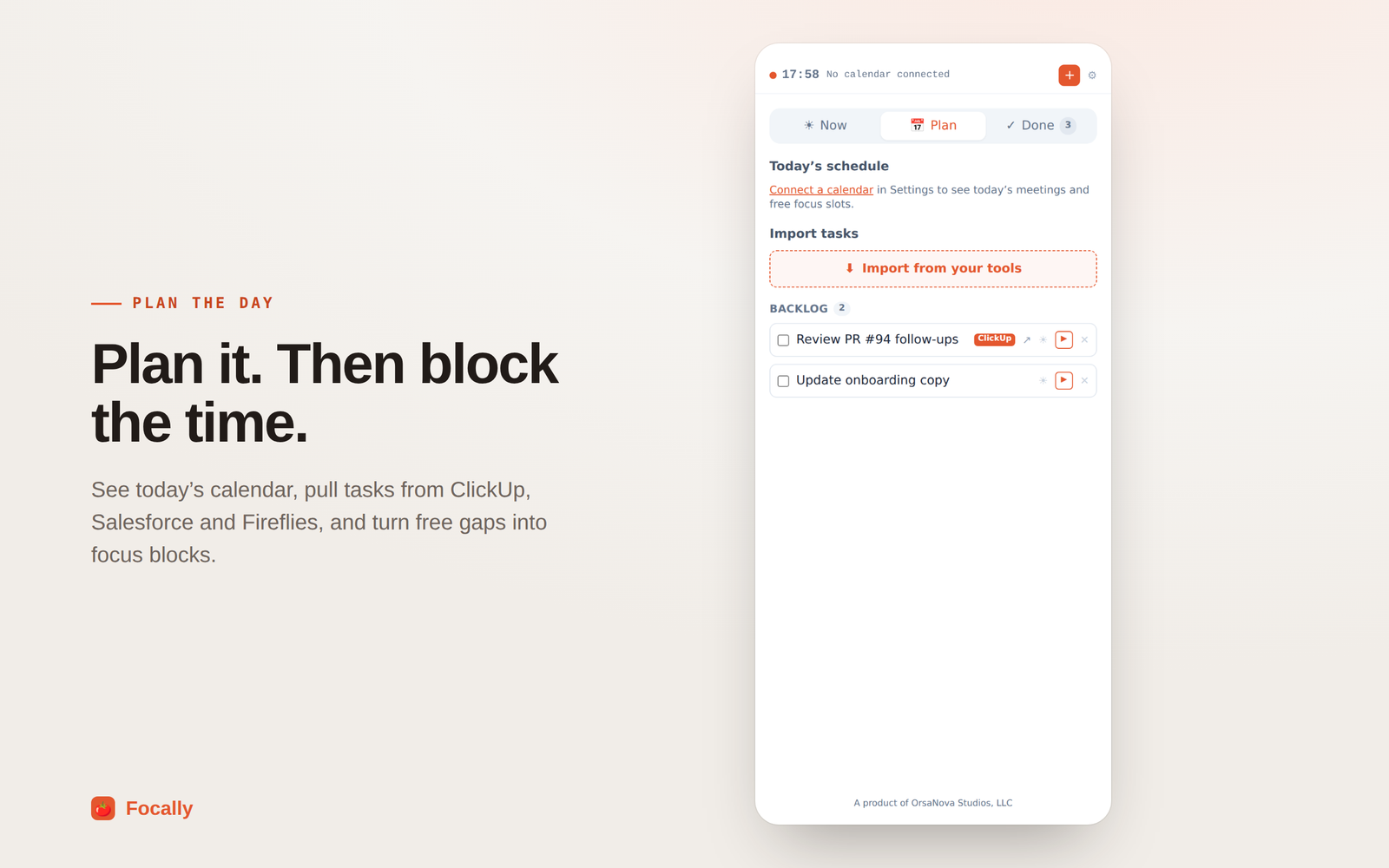
The Plan tab, headed “Today’s schedule”, prompting you to connect a calendar in Settings to see today’s meetings and free focus slots. Below it an “Import from your tools” button, and a backlog of two tasks — “Review PR #94 follow-ups”, tagged ClickUp, and “Update onboarding copy”.
Pull work in from your tools, and connect a calendar to see the day around it.
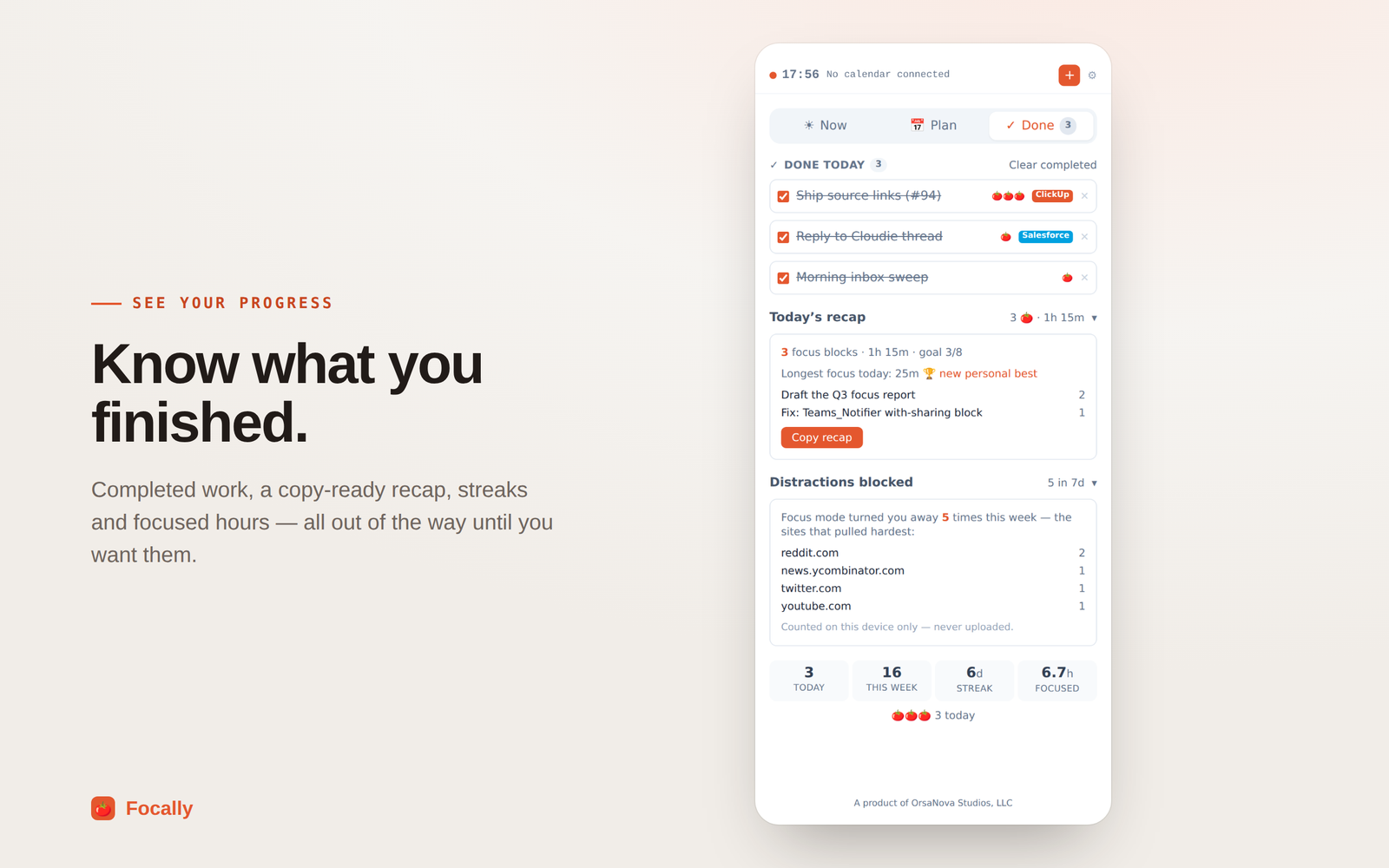
The Done tab: three completed tasks struck through, tagged ClickUp and Salesforce. A recap reads “3 focus blocks · 1h 15m · goal 3/8”, longest focus 25m marked a new personal best, with a Copy recap button. Below, “Distractions blocked — 5 in 7d” lists reddit.com, news.ycombinator.com, twitter.com and youtube.com, noted as counted on this device only and never uploaded. A stats row shows 3 today, 16 this week, a 6-day streak and 6.7 hours focused.
What you finished, a copy-ready recap, and what tried to interrupt it.
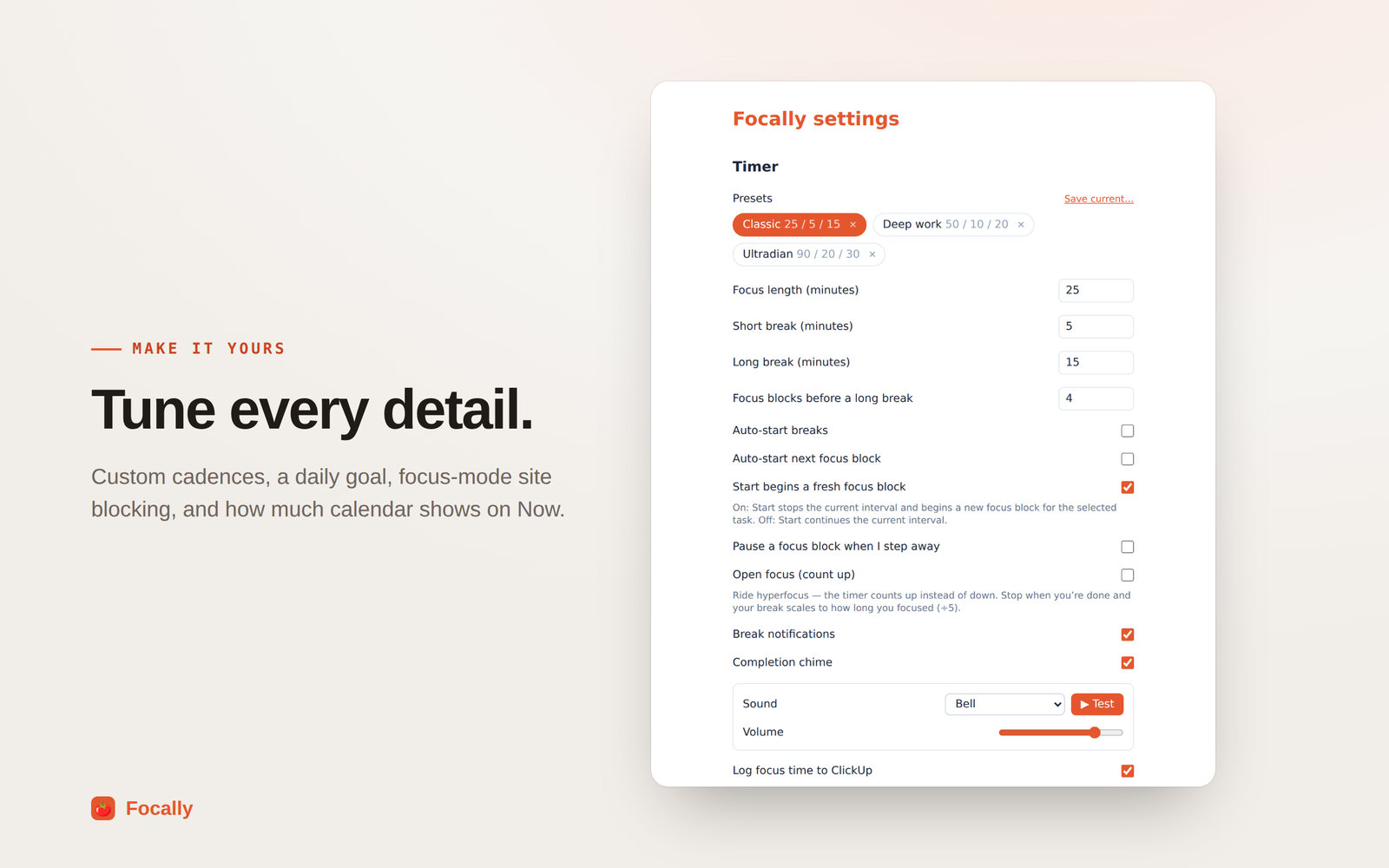
The Focally settings page, Timer section: presets for Classic 25/5/15, Deep work 50/10/20 and Ultradian 90/20/30; focus length 25, short break 5, long break 15, and 4 focus blocks before a long break; toggles for auto-starting breaks and the next block, pausing when you step away, open count-up focus, break notifications and a completion chime with a bell sound and volume slider; and a switch for logging focus time to ClickUp.
Presets and interval lengths, notifications, and what gets logged where.
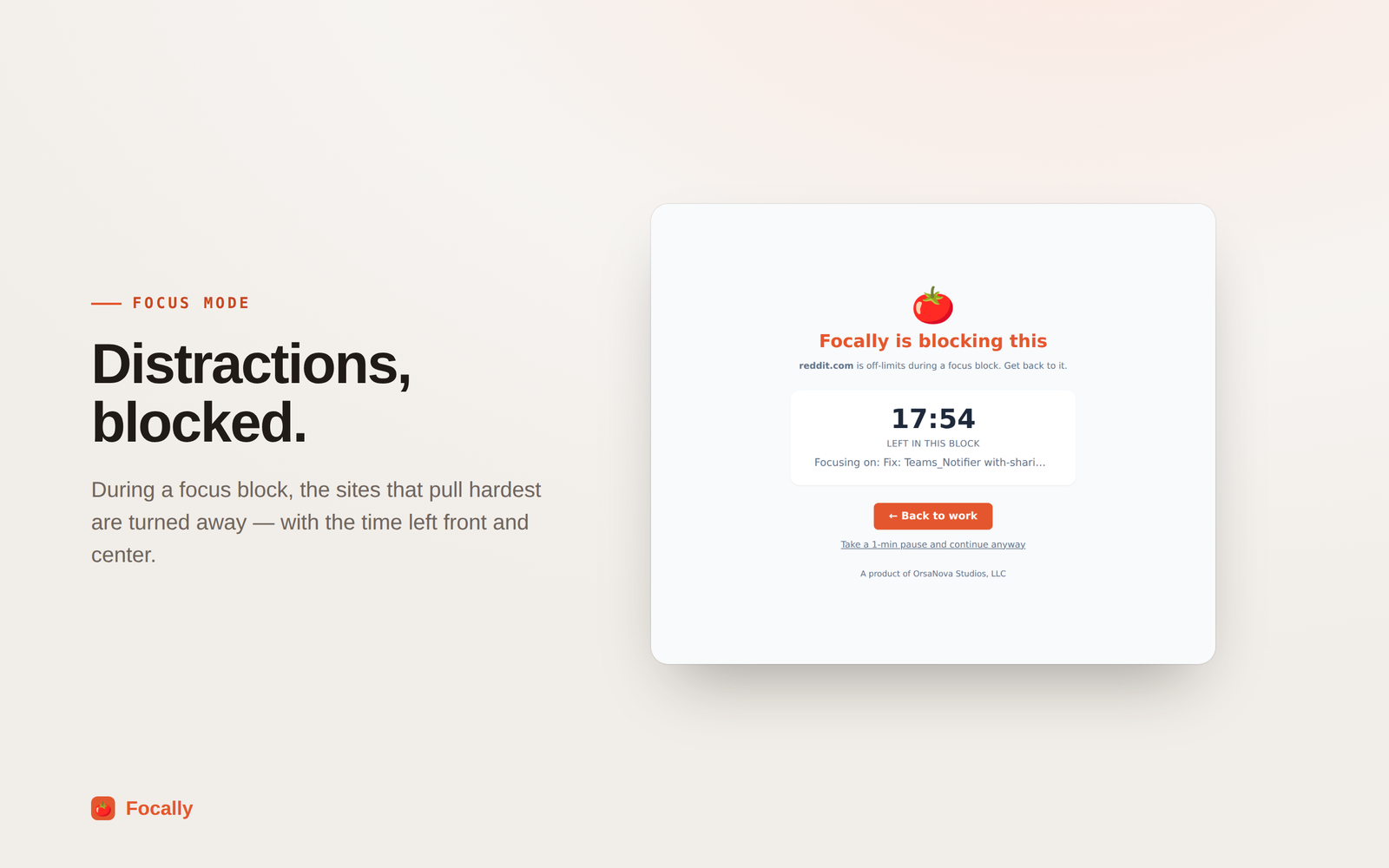
The page shown when a blocked site is opened mid-block: a tomato above the heading “Focally is blocking this”, the line “reddit.com is off-limits during a focus block. Get back to it.”, 17:54 left in the block, the task being focused on, a “Back to work” button, and a link to take a one-minute pause and continue anyway.
Focus mode, when a blocked site comes calling mid-block.